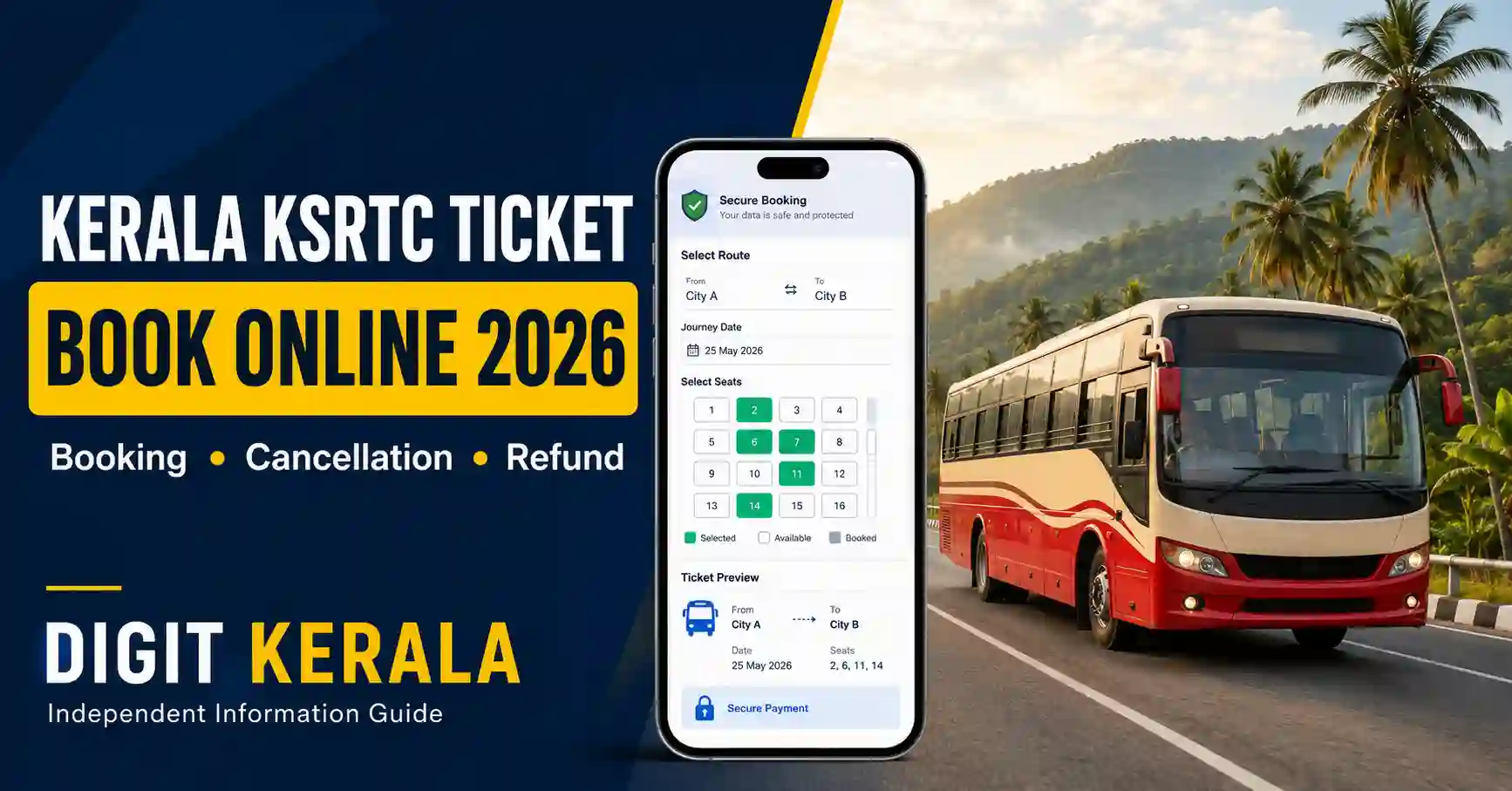
Passengers can book Kerala State Road Transport Corporation bus tickets online through the official KSRTC reservation portal. The service allows users to search available buses, compare departure times, select seats, make payments and receive an electronic ticket.
Before booking, passengers should verify the travel date, boarding point, destination and bus category. Cancellation charges depend on how early the ticket is cancelled.
This guide explains the Kerala KSRTC Bus Ticket Booking process, cancellation rules, refund timelines, ticket-status checking and important passenger instructions.
Information verified on August 26, 2026: Schedules, fares, booking limits and cancellation policies may change. Always check the latest information displayed on the official KSRTC portal before confirming a ticket.
Official KSRTC Online Booking Website
Use the official KSRTC reservation portal:
The Kerala KSRTC and KSRTC-SWIFT government websites link passengers to this reservation portal.
Official KSRTC website:
Official KSRTC-SWIFT website:
https://ksrtcswift.kerala.gov.in/
Check the website address carefully. Avoid websites or social-media accounts claiming to provide guaranteed seats at unusually low prices.
Can Tickets Be Booked Without Registration?
The official KSRTC terms state that tickets can be reserved as:
- A registered user
- A guest user
Registration may be convenient for frequent passengers because account information can be reused and previous bookings may be easier to access.
Guest users should enter a working mobile number and email address so that booking confirmation and journey information can be received.
Details to Keep Ready
Before starting the booking, keep the following information available:
- Starting location
- Destination
- Journey date
- Passenger names
- Passenger age and gender
- Active mobile number
- Email address
- Authorised identity document
- Preferred boarding point
- Preferred dropping point
- Online payment method
The passenger travelling should carry the authorised identity document associated with the reservation.
How to Book a Kerala KSRTC Bus Ticket Online
Step 1: Open the Official Portal
Visit:
Confirm that you are using the official booking portal before entering passenger or payment details.
Step 2: Enter Journey Information
Select or enter:
- From location
- To location
- Journey date
If a return-journey option is available and required, select the correct return date.
Check the month and year carefully. Selecting the wrong date is a common booking mistake.
Step 3: Search Available Buses
Select the search option to view services available for the route and date.
The result may display:
- Bus category
- Departure time
- Expected arrival time
- Boarding points
- Dropping points
- Available seats
- Basic fare
- Additional charges
Bus availability depends on the selected route, date and current reservation status.
Step 4: Compare the Services
Before selecting a bus, check:
- Departure time
- Boarding point
- Destination or dropping point
- Bus category
- Travel duration
- Seat availability
- Fare
- Whether the service is direct
- Whether the departure is from the selected town or another nearby station
Do not choose a bus based only on the lowest fare. Confirm that the boarding and dropping points are practical for your journey.
Step 5: Select the Seat
Open the seat layout and select an available seat.
Check whether the seat is:
- Window or aisle
- Upper or lower berth, where applicable
- Subject to a particular passenger condition
- Close to the boarding door
- Correctly assigned to the selected passenger
The official terms currently state that a maximum of six seats may be booked in a single ticket for a specified journey. This limit is subject to change.
Step 6: Select Boarding and Dropping Points
Choose the correct boarding and dropping points from the options displayed.
Passengers generally have the right to board and get down only at the points mentioned on the ticket. Super-class services may stop only at designated locations.
If the passenger fails to board at the selected point without informing the crew, the reserved seat may not remain available after that point.
Step 7: Enter Passenger Details
Enter each passenger’s information accurately.
The portal may request:
- Full name
- Age
- Gender
- Mobile number
- Email address
- Identity-document details
- GST details, when applicable
Avoid spelling mistakes, particularly when the booking must match an identity document.
Step 8: Review the Fare
Review the complete amount before proceeding.
The amount may include:
- Basic ticket fare
- Reservation charge
- Service charge
- Payment-gateway charge
- Applicable tax
- Other charges displayed during checkout
The final fare shown during the current booking should be treated as the applicable amount.
Step 9: Complete the Payment
Select one of the payment options displayed by the portal.
Available options may include:
- UPI
- Debit card
- Credit card
- Internet banking
- Other payment services shown at checkout
Do not refresh, close or press the browser’s Back button while the payment is processing.
Step 10: Save the Ticket and PNR
After successful payment, the portal should generate a booking confirmation and transaction reference.
Save:
- PNR or booking number
- Electronic ticket
- Payment reference
- Passenger details
- Boarding point
- Departure time
- Bus information
- SMS or email confirmation
Take a screenshot for temporary reference, but keep the complete electronic ticket available.
E-Ticket and M-Ticket
The official KSRTC terms describe two common electronic travel records:
E-ticket: An electronic reservation slip containing the booking details and passenger instructions.
M-ticket: A ticket communicated through the mobile number entered while making the reservation.
A separate informative message may be sent before departure containing details such as the bus or crew contact information. The official terms clarify that this informative message alone should not be considered the M-ticket.
How Early Can a KSRTC Ticket Be Booked?
The official booking terms state that advance booking is normally available for up to 30 days. KSRTC may change the advance-booking period.
Online booking is generally available throughout the day. Current booking for a particular service may close at charting time or one hour before the scheduled departure from the starting point, whichever occurs earlier.
Book early during weekends, public holidays and festival seasons.
How to View an Existing Booking
Open the official reservation portal and select View Booking under the Manage Booking section.
Enter the information requested by the portal, which may include:
- PNR
- Registered mobile number
- Email address
- Booking reference
- Other verification details
Check that the ticket status is confirmed before travelling.
How to Check Booking or Payment Status
The official portal provides a Status Check facility:
https://onlineksrtcswift.com/status
The service may allow users to check:
- Booking status
- Trip status
- Payment status
If payment is deducted but no ticket appears, check the status before attempting a second booking.
Payment Deducted but Ticket Not Generated
If the payment is deducted but the ticket is not generated:
- Do not immediately make the same booking again.
- Save the bank or UPI transaction reference.
- Check the booking and payment status.
- Check SMS and email for delayed confirmation.
- Verify whether a PNR was generated.
- Save a screenshot of the error.
- Contact official reservation support if the status remains unclear.
The official KSRTC terms state that failed-transaction refunds are normally processed within seven banking days.
Banking delays may affect when the refunded amount appears in the passenger’s account.
How to Cancel a KSRTC E-Ticket Online
E-tickets can be cancelled through the official reservation portal.
Cancellation Steps
- Visit https://onlineksrtcswift.com/
- Select Cancellation.
- Enter the PNR or booking details requested.
- Verify the passenger or ticket information.
- Select the passenger or seat to be cancelled, if the option is available.
- Review the cancellation charge and refundable amount.
- Confirm the cancellation.
- Save the cancellation receipt.
The refund is credited electronically after applicable deductions. Cash refunds are not normally provided for an online ticket.
Current KSRTC Cancellation Charges
According to the official KSRTC cancellation policy, the following slabs apply to the basic fare:
- More than 72 hours before departure: No cancellation fee on the basic fare.
- Between 72 and 48 hours: 10% of the basic fare is deducted; 90% is refundable.
- Between 48 and 24 hours: 25% is deducted; 75% is refundable.
- Between 24 and 12 hours: 40% is deducted; 60% is refundable.
- Between 12 and 2 hours: 50% is deducted; 50% is refundable.
- Less than 2 hours before departure or after departure: No refund.
Cancellation may be allowed only until two hours before the scheduled departure from the service’s starting point or until charting time, whichever is earlier.
Reservation, service, bank and payment-gateway charges may not be refundable.
Always check the amount displayed on the cancellation page before confirming.
Important Exception for Budget Tourism Services
The official terms state that passenger-initiated cancellation is not permitted for services under the Budget Tourism category.
If KSRTC cancels such a service, the applicable refund is handled according to the official terms.
Check whether your ticket belongs to a special or Budget Tourism service before booking.
What Happens If KSRTC Cancels the Bus?
If a reserved service is cancelled, KSRTC may attempt to arrange an alternative travel facility.
If an alternative cannot be arranged, the passenger may be eligible for a full refund of the ticket fare, excluding charges stated as non-refundable under the applicable policy.
The refund is normally returned to the payment account used for the original booking. Changing the refund bank account is generally not possible.
Follow the instructions in the cancellation message or contact official support.
Can the Travel Date Be Changed?
The official terms state that preponement or postponement may be available for tickets booked through KSRTC counters or authorised franchise counters, subject to conditions and charges.
Online passengers should not assume that every e-ticket can be moved to another date. Check the options available in the current booking or contact official support.
When date modification is unavailable, cancellation and a fresh booking may be necessary.
ID Proof Required During Travel
Passengers should carry an authorised identity document associated with the reservation.
Before leaving for the boarding point, keep the following accessible:
- Electronic or mobile ticket
- Booking number
- Valid identity document
- Mobile phone used for the booking
- Journey information
- Payment confirmation, if needed
Do not share the complete ticket or PNR publicly. Another person may misuse the booking information.
Boarding-Time Checklist
Before travelling:
- Recheck the travel date.
- Confirm the boarding point.
- Arrive sufficiently early.
- Keep the ticket and ID ready.
- Check messages received from KSRTC.
- Confirm the bus or trip status.
- Keep the registered mobile phone active.
- Listen for official service announcements.
- Do not depend solely on information from an unofficial tracking website.
Bus timings may be affected by traffic, weather, road restrictions or operational changes.
Online Booking Safety Tips
- Use only the official KSRTC booking portal.
- Avoid links received from unknown social-media accounts.
- Do not install unofficial KSRTC APK files.
- Never share card PIN, UPI PIN or OTP.
- Check the amount before approving payment.
- Verify the PNR after booking.
- Do not publish the complete ticket online.
- Keep the cancellation receipt.
- Use official contact channels for refunds.
- Avoid paying agents who promise guaranteed seats.
Frequently Asked Questions
Which is the official Kerala KSRTC online-booking website?
The official reservation portal is:
Can a ticket be booked as a guest?
Yes. The official terms permit booking as a guest or registered user.
How many seats can be booked in one ticket?
The current official terms state that a maximum of six seats may be booked per ticket for a specified journey. This limit may change.
How can I check my booking status?
Use the Status Check or View Booking facility on the official reservation portal.
Can an e-ticket be cancelled online?
Yes, subject to the cancellation deadline, service category and applicable deductions.
Can I cancel the ticket one hour before departure?
The current policy states that no refund is available less than two hours before departure. Cancellation may also close at charting time if that occurs earlier.
Are payment-gateway charges refundable?
The official terms state that reservation, service, bank or payment-gateway charges may not be refundable.
What if KSRTC cancels the service?
KSRTC may arrange an alternative service. If an alternative cannot be provided, the ticket fare may be refunded according to the official cancellation policy.
How long does a failed-payment refund take?
The official terms state that failed-transaction refunds are normally made within seven banking days.
Can I board from a different point?
Passengers should board from the point mentioned on the ticket. If a change is necessary, follow the current KSRTC instructions and inform the authorised crew where permitted.
Official Support
Online reservation toll-free number:
1800-599-4011
Online reservation email:
rsnksrtc@kerala.gov.in
Official contact page:
https://ksrtcswift.kerala.gov.in/contact-us
Official References
KSRTC online booking:
https://onlineksrtcswift.com/
KSRTC official website:
https://www.keralartc.com/
KSRTC cancellation policy:
https://www.keralartc.com/general-info/cancellation-policy
KSRTC-SWIFT official website:
https://ksrtcswift.kerala.gov.in/
Booking and payment status:
https://onlineksrtcswift.com/status
Disclaimer
This article is an independent informational guide. DIGIT KERALA is not affiliated with, authorised by or endorsed by KSRTC or KSRTC-SWIFT. Schedules, fares, boarding points, services, cancellation charges and refund rules may change. Verify the latest details on the official booking portal before making a reservation or cancellation.