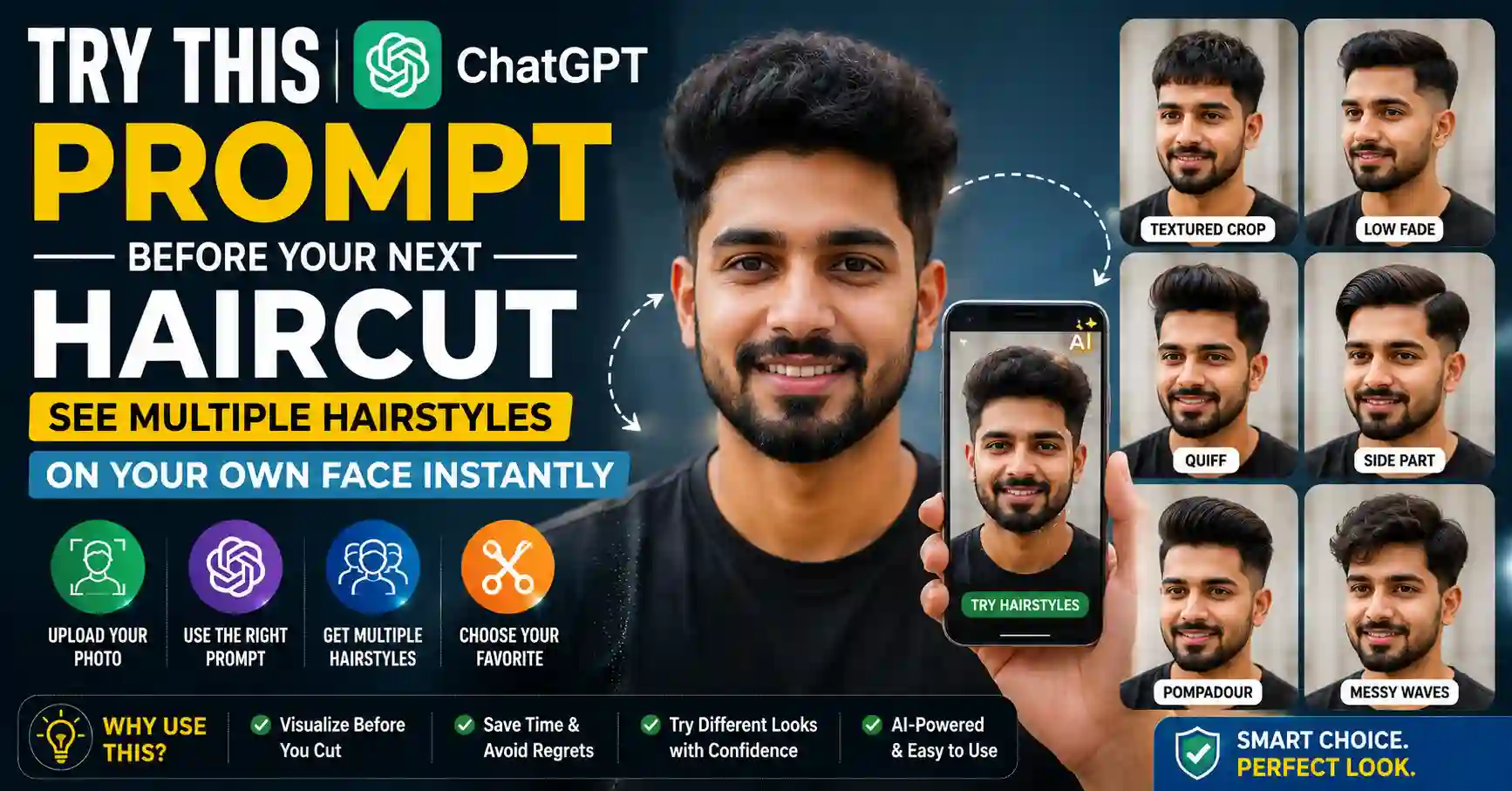
Choosing a new haircut can be difficult because a style that looks good in a reference photo may appear different with another person’s face, hair texture, density or hairline.
ChatGPT Images can be used as a visual planning tool before visiting a barber or hairstylist. Upload a clear photograph, describe the haircut you want and ask ChatGPT to change only the hair while preserving the face, expression, clothing, lighting and background.
You can also compare multiple hairstyles, adjust the fade height, test different hair lengths or create a reference sheet to show a barber.
This guide provides ready-to-copy ChatGPT hairstyle prompts for short, medium, long, straight, wavy and curly hair.
Important: AI-generated hairstyle previews are approximate visualisations. They cannot guarantee how a real haircut will look. The result will also depend on natural hair texture, density, growth pattern, hairline, styling products and the skill of the barber or hairstylist.
Can ChatGPT Change the Hairstyle in an Uploaded Photo?
Yes. According to the official OpenAI guide to Images in ChatGPT, users can upload an existing image and describe the changes they want ChatGPT to make.
An image can be edited by:
- Describing the required change directly in the conversation.
- Opening the image editor.
- Selecting the hair area.
- Asking ChatGPT to modify only that selected area.
OpenAI notes that image selections are not always precise and an edit may extend beyond the highlighted area. Results should therefore be reviewed carefully.
How to Preview a Haircut With ChatGPT
Follow these general steps:
- Open ChatGPT on the web or mobile application.
- Start a new conversation.
- Use the attachment or image-upload option.
- Select a clear photograph of yourself.
- Paste one of the prompts provided below.
- Wait for the image to be generated.
- Review whether the face and other details remain consistent.
- Request a correction if the AI changes anything unnecessarily.
- Try another hairstyle in the same conversation.
- Save the preferred result for personal reference.
Image generation may take time depending on the complexity of the request and current service availability.
Choose the Right Photo
The quality of the source photo can affect the usefulness of the result.
For a clearer hairstyle preview, use a photograph with:
- A front-facing or slightly angled head position.
- Good natural or soft indoor lighting.
- The full hairline visible.
- The complete head visible.
- A neutral facial expression.
- Minimal background distractions.
- No hat, helmet or head covering obscuring the hair.
- No heavy beauty filter.
- Suitable image clarity.
Avoid using a group photo. ChatGPT may be uncertain about which person should be edited.
If you want to compare side and back details, upload separate front, side and rear photographs taken in similar lighting.
The Most Important Prompt Instruction
When editing a real photograph, clearly explain what should change and what must remain unchanged.
OpenAI’s image-prompting guidance recommends being explicit about both the requested edit and the elements that should stay fixed.
Include an instruction similar to this in every hairstyle prompt:
Change only the hairstyle. Preserve the person’s exact facial identity, facial proportions, skin tone, age, expression, eyebrows, eyes, nose, lips, ears and facial hair. Keep the pose, clothing, lighting, camera angle and background unchanged.
Even with this instruction, small variations may occur because the output is an AI-generated visualisation.
Master ChatGPT Hairstyle Prompt
Use this prompt when you want ChatGPT to create several hairstyle options based on one photograph.
Use my uploaded photo as the identity reference. Create a realistic 2 × 3 hairstyle comparison sheet showing the same person with six different haircuts: a low taper with textured top, a classic crew cut, a French crop, a medium-length side part, curtain hair and a short buzz cut. Keep the person’s exact facial identity, facial proportions, skin tone, age, expression, eyebrows, eyes, nose, lips, ears and facial hair consistent in every panel. Preserve the original camera angle, clothing, lighting and background. Change only the hair. Make the hairlines, texture, shadows and blending photorealistic. Label the styles A to F below the panels. Do not beautify the face or add accessories.
A multi-panel image is useful for quick comparison. If the face or hairstyle is inconsistent between panels, generate each style separately using the individual prompts below.
Prompt for Hairstyle Recommendations
This prompt asks ChatGPT to create several practical options without claiming that one style is objectively perfect.
Analyse only the visible hairstyle-related features in my uploaded photo, such as the current hair length, apparent texture, density and hairline. Create four realistic haircut previews that could be practical alternatives: one short low-maintenance style, one professional style, one medium-length textured style and one modern trend-inspired style. Keep my exact facial identity and all non-hair details unchanged. Do not change my skin, facial features, expression, facial hair, body, clothes or background. Present the four results in a clean 2 × 2 comparison layout and give each haircut a simple name.
Treat the result as inspiration. A professional barber or hairstylist can assess the hair in person and explain what is achievable.
1. Low Taper Fade With Textured Top
A low taper is concentrated around the sideburns and neckline while retaining more length above.
Edit my uploaded photo to show a clean low taper fade with a naturally textured top. Keep moderate length on top, add subtle volume and create a soft, professional blend around the sideburns and neckline. Do not make the sides skin-bald. Preserve my exact face, hairline position, skin tone, facial hair, expression, pose, clothes, lighting and background. Change only the hairstyle and make the result photorealistic.
2. Mid Fade With Short Textured Hair
A mid fade creates a more visible transition around the middle of the sides.
Change only my hairstyle to a mid fade with short textured hair on top. Keep the top neat and slightly messy with natural separation, and blend the sides smoothly from shorter hair into the top. Preserve my exact facial identity, natural hairline, facial hair, skin tone, expression, clothing, lighting and background. Do not reshape or beautify my face. Create a realistic barbershop-quality preview.
3. Classic Crew Cut
A crew cut is a practical short style with slightly more length on top than on the sides.
Show me with a classic crew cut that looks neat, balanced and easy to maintain. Keep the top short with a subtle natural texture and use a gentle taper on the sides and back. Do not alter my natural hairline. Preserve my exact face, ears, skin tone, facial hair, expression, pose, clothing and background. Change only the hair and keep the edit photorealistic.
4. Buzz Cut Preview
A buzz cut can reveal the natural shape of the head and hairline more clearly.
Edit my uploaded photo to show an even short buzz cut with a clean but natural edge. Keep the hairline realistic and do not artificially lower, sharpen or fill it. Preserve my exact facial identity, head proportions, skin tone, facial hair, expression, lighting, clothes and background. Change only the hairstyle. Make the short hair texture and scalp coverage realistic.
5. French Crop
A French crop generally combines short sides with a textured top and forward fringe.
Change only my hair to a modern French crop with short blended sides, a textured top and a natural short fringe directed slightly forward. Keep the style realistic for my visible hair texture and hairline. Preserve my exact face, expression, skin tone, facial hair, ears, clothing, camera angle, lighting and background. Do not add makeup, accessories or facial changes.
6. Textured Crop With Low Fade
Edit the uploaded photo to show a textured crop with a low fade. Keep the top approximately 4 to 5 centimetres long, with natural choppy texture and controlled volume. Blend the sides cleanly without making the fade too high. Keep my face, hairline, facial hair, skin tone, expression, clothing, pose and background exactly the same. Change only the hair and produce a photorealistic preview.
The length measurement is only a visual request. A barber should determine the practical cutting length.
7. Classic Side-Part Hairstyle
Give me a classic side-part haircut with neatly tapered sides and enough length on top to form a natural, soft side part. Keep the finish professional without making the hair overly shiny or rigid. Preserve my exact facial identity, natural hairline, skin tone, facial hair, expression, pose, clothing, lighting and background. Change only the hairstyle.
8. Slicked-Back Medium Hair
Edit only my hairstyle to show medium-length hair brushed naturally backwards with controlled volume and a soft, realistic finish. Keep the sides slightly shorter but not disconnected. Do not create an extreme undercut. Preserve my exact face, skin tone, facial hair, expression, body, clothes, camera angle and background. Keep the hair texture realistic and avoid an artificial plastic appearance.
9. Curtain Hairstyle
Curtain hair uses a centre or slightly off-centre part with hair falling to each side.
Change my hairstyle to a medium-length curtain cut with a soft centre part, natural movement and gentle volume on both sides of the forehead. Adapt the texture to the hair visible in my original photo. Preserve my exact face, forehead, hairline, skin tone, facial hair, expression, ears, clothing, lighting and background. Change only the hair and make the preview photorealistic.
10. Modern Pompadour
Show me with a modern pompadour featuring controlled height at the front, a naturally swept-back top and clean tapered sides. Keep the volume realistic and suitable for everyday styling rather than exaggerated. Preserve my exact facial identity, hairline, facial hair, skin tone, expression, pose, clothing, lighting and background. Do not modify any part of the image except the hair.
11. Curly Top With Low Taper
Edit my uploaded photo to show a curly top with a low taper around the sideburns and neckline. Keep the curls natural, defined and realistic without changing the visible hair density or creating excessive volume. Preserve my exact facial features, hairline, skin tone, facial hair, expression, clothing, lighting and background. Change only the hairstyle.
12. Shoulder-Length Layered Cut
Change only my hairstyle to a shoulder-length layered haircut with soft face-framing layers and natural movement. Keep the visible hair texture realistic and preserve the natural density. Do not change my facial shape, skin, age, expression, eyebrows, makeup, clothing, pose, lighting or background. Create a realistic salon-style preview.
13. Long Butterfly Layers
Edit my uploaded photo to show long butterfly layers with soft volume, shorter face-framing sections and longer layers flowing naturally towards the ends. Preserve my original hair colour and realistic density. Keep my exact facial identity, skin tone, expression, makeup, clothing, camera angle, lighting and background unchanged. Change only the haircut.
14. Blunt Bob
Show me with a clean blunt bob ending near the jawline. Keep the shape balanced, the ends precise and the texture natural rather than overly smooth. Preserve my original hair colour and keep my exact face, skin tone, expression, eyebrows, makeup, jewellery, clothing, lighting and background unchanged. Change only the hairstyle.
15. Shoulder-Length Lob
A lob is a longer bob that usually ends around the shoulders or collarbone.
Edit only my hair to create a shoulder-length lob with a subtle texture, gentle movement and slightly softened ends. Preserve my natural hair colour and density. Keep my exact facial identity, facial proportions, skin tone, expression, makeup, clothing, camera angle and background unchanged. Produce a realistic hairstyle preview.
16. Pixie Cut
Change only my hairstyle to a modern pixie cut with softly tapered sides and back, light texture on top and a natural fringe. Keep the cut realistic for my visible hair texture and hairline. Preserve my exact face, ears, skin tone, expression, makeup, jewellery, clothes, lighting and background. Do not beautify or reshape my face.
17. Curtain Bangs
Edit my hairstyle to add soft curtain bangs that part naturally in the centre and blend into face-framing layers. Keep the remaining hair length, colour and texture consistent with the original photograph. Preserve my exact face, forehead, skin tone, expression, makeup, clothing, lighting and background. Change only the required hair area.
18. Straight Fringe or Full Bangs
Add a soft full fringe ending around the eyebrows, with realistic density and slight natural separation rather than a solid artificial line. Keep the rest of my haircut, hair colour and texture unchanged. Preserve my exact facial identity, eyebrows, eyes, skin tone, expression, makeup, clothes, lighting and background. Change only the fringe.
19. Wolf Cut
Change only my hairstyle to a modern wolf cut with shorter layered volume around the crown, textured face-framing sections and longer layers towards the back. Keep the finish wearable and realistic rather than exaggerated. Preserve my original hair colour, visible density, exact facial identity, expression, skin tone, clothes, lighting and background.
20. Curly Layered Bob
Edit the uploaded photo to show a chin-to-shoulder-length curly bob with balanced layers that preserve the natural curl pattern and volume. Avoid making the curls unnaturally uniform. Keep my exact face, hairline, skin tone, expression, makeup, clothing, pose and background unchanged. Change only the hairstyle.
21. Long U-Shaped Layers
Change only my haircut to long U-shaped layers with subtle face-framing sections and softly blended ends. Preserve the original overall length as much as possible, along with the natural hair colour, texture and density. Keep my exact facial identity, expression, skin tone, clothing, lighting and background unchanged.
Prompt for a Low-Maintenance Haircut
Using my uploaded photo, create three realistic low-maintenance haircut options that would require minimal daily heat styling or complex product use. Keep the styles practical for the visible hair length, texture, density and hairline. Show one short option, one medium option and one option that preserves most of the current length. Keep my exact face and all non-hair details unchanged. Add only a small label below each option.
The AI cannot know the full behaviour of the hair from one photograph. Discuss maintenance requirements with a hairstylist before choosing.
Prompt for a Professional Office Hairstyle
Edit my uploaded photo to show three neat, workplace-appropriate hairstyles while preserving my personal appearance. Include one short style, one side-parted style and one medium-length style. Keep each haircut realistic, clean and easy to maintain. Preserve my exact facial identity, skin tone, expression, facial hair or makeup, clothing, lighting and background. Change only the hair.
Prompt for Comparing Different Hair Lengths
Create a three-panel comparison using my uploaded photo. Panel 1 should show short hair, Panel 2 medium-length hair and Panel 3 longer hair. Use a natural, wearable haircut at each length while keeping the same hair colour and apparent texture. Preserve my exact facial identity, facial proportions, expression, skin tone, clothing, lighting, pose and background in every panel. Do not alter facial hair or makeup.
Prompt to Compare Low, Mid and High Fades
Create a three-panel haircut comparison using my uploaded photo. Show a low fade in Panel 1, a mid fade in Panel 2 and a high fade in Panel 3, while keeping the same short textured top in all panels. Preserve my natural hairline, exact face, skin tone, facial hair, expression, clothes, lighting and background. Label each panel clearly and change only the hairstyle.
A high fade and a low fade can produce very different overall proportions, making this comparison useful before visiting a barber.
Prompt for a Front, Side and Back Reference Sheet
After choosing a haircut, use this prompt to create a visual reference for discussion with a barber.
Using the selected hairstyle from the previous image, create a clean three-view reference sheet showing the same haircut from the front, left-side profile and back. Keep the person’s identity, hair colour, texture and proportions consistent. Use neutral studio lighting and a simple background so the haircut shape, taper, neckline and length are easy to see. Do not add text except the labels FRONT, SIDE and BACK.
AI may invent details that were not visible in the original photograph, especially the back of the head. Treat the sheet as a communication reference rather than an exact technical cutting plan.
Prompt to Make a Style Shorter
Keep the same selected hairstyle and the same photograph, but shorten the top by approximately 25 percent while preserving its texture and overall shape. Keep the fade, hairline, face, expression, facial hair, skin tone, clothing, lighting and background unchanged. Modify only the top hair length.
Prompt to Reduce Volume
Keep the same haircut but reduce the volume on top and around the sides for a flatter, more natural everyday appearance. Preserve the original hair texture and do not make the hair look wet or overly styled. Keep my face and every non-hair detail exactly unchanged.
Prompt to Keep More Length
Use the same selected haircut, but preserve more length on the top and front. Keep the sides softly tapered rather than extremely short. Maintain my natural hairline, hair texture and density. Do not change my face, expression, facial hair, clothes, lighting or background.
Prompt to Fix an Altered Face
If the generated result changes the face, use this correction prompt:
The hairstyle is suitable, but the face has changed. Regenerate the edit using the original uploaded photograph as the strict identity reference. Preserve the original face pixel-consistently as much as possible, including the facial proportions, eyes, eyebrows, nose, lips, ears, skin texture, skin tone, age, expression and facial hair. Preserve the original pose, clothes, lighting and background. Apply only the selected hairstyle and make no other visual changes.
If the problem continues, open the image editor and select only the hair area before repeating the hairstyle instruction.
Prompt to Restore the Natural Hairline
Keep the generated haircut, but restore the natural hairline shape and position visible in my original uploaded photo. Do not fill, lower, sharpen or redesign the hairline. Preserve my exact face, forehead, skin, facial hair, expression and all other image details. Change only the hairline and blend it naturally into the selected haircut.
How to Get More Consistent Results
Use these practical techniques:
- Request one hairstyle at a time for greater detail.
- Keep all edits in the same conversation.
- Repeat the instruction to preserve facial identity.
- State clearly that only the hair should change.
- Specify the approximate length.
- Mention the fade height.
- Describe the direction of the fringe or parting.
- Ask for natural hair texture and density.
- Avoid requesting several unrelated changes together.
- Use the selection tool to highlight only the hair.
- Correct one problem at a time.
- Return to the original photograph if repeated edits begin to drift.
OpenAI recommends making small, targeted revisions when refining images, as this can help maintain consistency.
Common Problems and Better Follow-Up Prompts
The Face Looks Different
Use the face-restoration prompt and edit from the original photograph rather than repeatedly modifying an already altered result.
Hair Looks Like a Wig
Try:
Make the hairstyle more natural. Blend the hair realistically into the scalp and hairline, add fine flyaway strands, realistic roots, uneven natural density and shadows consistent with the original lighting. Keep all non-hair details unchanged.
Fade Is Too High
Try:
Lower the fade so the shortest section remains only around the sideburns and neckline. Keep more weight above the ears and blend gradually into the top. Preserve everything except the fade height.
Hair Is Too Thick
Try:
Reduce the apparent density and volume to match the hair visible in the original uploaded photograph. Do not create additional thickness or hide the natural hairline.
Hair Colour Has Changed
Try:
Restore the exact natural hair colour visible in the original photograph. Keep the selected haircut, lighting and texture unchanged.
Background Has Changed
Try:
Restore the exact background, camera framing, clothing and lighting from the original uploaded photograph. Retain only the new hairstyle.
What ChatGPT Cannot Reliably Predict
A photograph-based AI preview cannot fully evaluate:
- Hair growth direction.
- Cowlicks.
- Actual density across the scalp.
- Hair elasticity.
- Shrinkage in curly hair.
- Previous chemical treatments.
- Scalp condition.
- Daily styling time.
- How the haircut will grow out.
- The barber’s cutting technique.
Use the image to explain preferences, not as a guarantee of the final result.
What to Ask Your Barber or Hairstylist
Show the preferred preview and ask:
- Is this style realistic for my hair texture?
- Do I have enough length?
- Will my natural hairline support this shape?
- How often will it need trimming?
- Which styling products would be required?
- Can the fade or layering be adjusted?
- How will the haircut look without styling?
- What should be changed to suit my hair density?
- Can you show the proposed cutting length before starting?
Professional advice based on an in-person assessment is more reliable than an AI image alone.
Photo Privacy and Safety
A clear face photograph is personal information. Use only your own image or a photograph you have permission to edit.
Before uploading:
- Remove identity cards and documents from the background.
- Avoid photographs showing home addresses.
- Check whether other people are visible.
- Do not upload a stranger’s photograph without permission.
- Avoid sharing generated comparison images publicly without considering privacy.
- Review ChatGPT’s current privacy and Data Controls settings.
OpenAI’s Data Controls FAQ explains how users can manage whether conversations help improve models. Signed-in users can review this under Settings → Data Controls.
The same official guide explains that Temporary Chats are not saved in chat history, do not create memories and are not used to train models, although they may be retained for up to 30 days and reviewed for abuse monitoring.
Check the latest official information before choosing a privacy setting.
Frequently Asked Questions
Can ChatGPT show a haircut on my face?
ChatGPT Images supports uploading an existing image and requesting edits. The result is an AI-generated approximation rather than a guaranteed representation of a real haircut.
Which photograph works best?
Use a clear, well-lit image showing the full head and hairline, preferably from the front or a slight angle.
Can I compare several hairstyles in one image?
Yes. Ask for a multi-panel comparison sheet. Generating one style at a time may provide more consistent detail.
How do I stop ChatGPT from changing my face?
Explicitly instruct it to change only the hair and preserve the exact face and all other details. If available, use the selection tool to highlight only the hair area.
Can ChatGPT recommend the best haircut for my face?
It can generate visual alternatives based on visible information, but the result is subjective and cannot account for every property of the hair. A barber or hairstylist can provide an in-person assessment.
Can I change only the fade height?
Yes. Continue in the same conversation and ask ChatGPT to retain the top hairstyle while changing only the fade from low to mid or high.
Can I use the generated image at a salon?
Yes, as a visual reference. Explain that it is AI-generated and discuss what is achievable with the hairstylist.
Will the real haircut look exactly the same?
Not necessarily. Hair texture, density, growth pattern, styling and cutting technique affect the real result.
Can I delete a generated hairstyle image?
The official OpenAI image guide states that deleting the conversation in which an image was created removes it from the user’s Images collection. Check the latest ChatGPT interface for the applicable controls.
Official References
- OpenAI Help – Images in ChatGPT
- OpenAI Academy – Creating Images With ChatGPT
- OpenAI Help – ChatGPT Image Inputs FAQ
- OpenAI Help – Data Controls FAQ
Last reviewed: August 30, 2026.
Disclaimer: DIGIT KERALA is an independent information website and is not affiliated with or endorsed by OpenAI, ChatGPT, any salon, barber or hairstylist. ChatGPT is a trademark of OpenAI. The prompts and generated images are provided for general creative and informational purposes. AI-generated hairstyle previews may contain inaccuracies and do not guarantee that a real haircut will produce the same result. Product features, availability, limits and privacy controls may change. Verify the latest information through official OpenAI documentation and discuss the chosen style with a qualified barber or hairstylist.